First, you need an active email address to be able to confirm your account after registering as a seller, so you can directly start uploading your products and selling on Iris.
Follow the steps below to open your store.
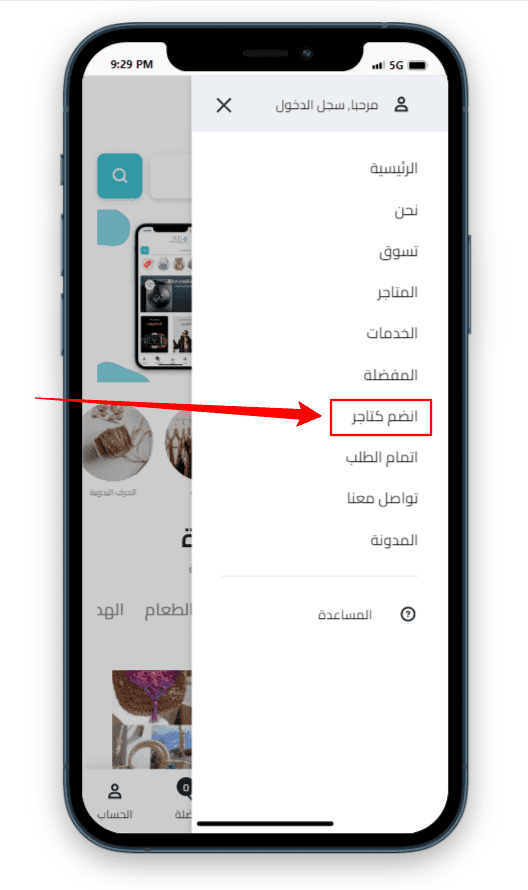
Click on Join as Vendor
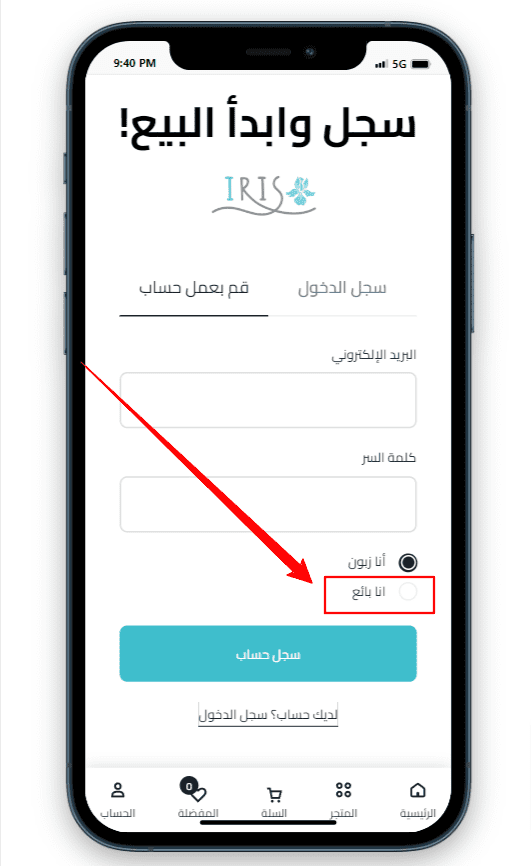
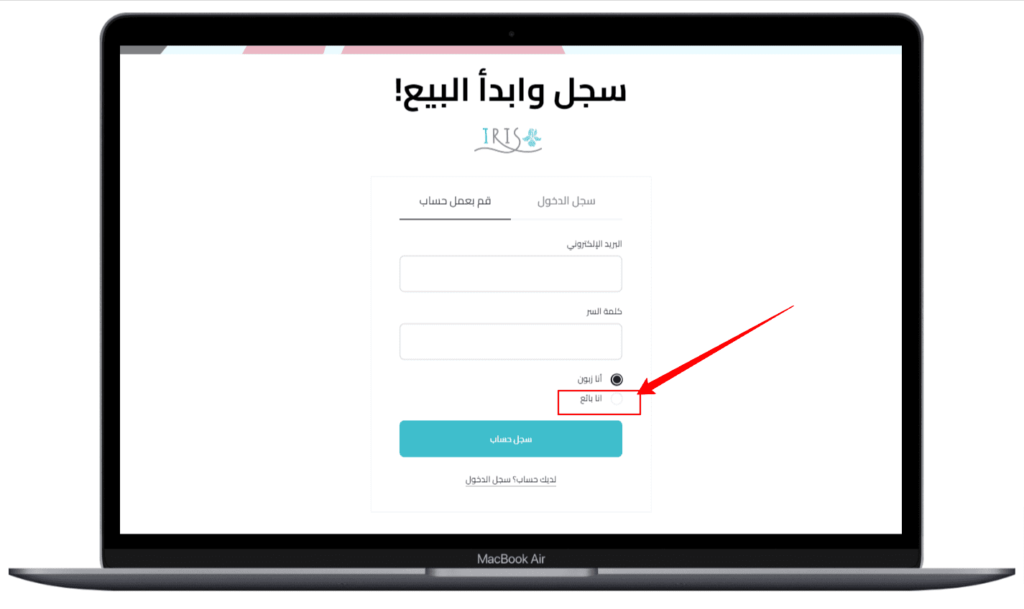
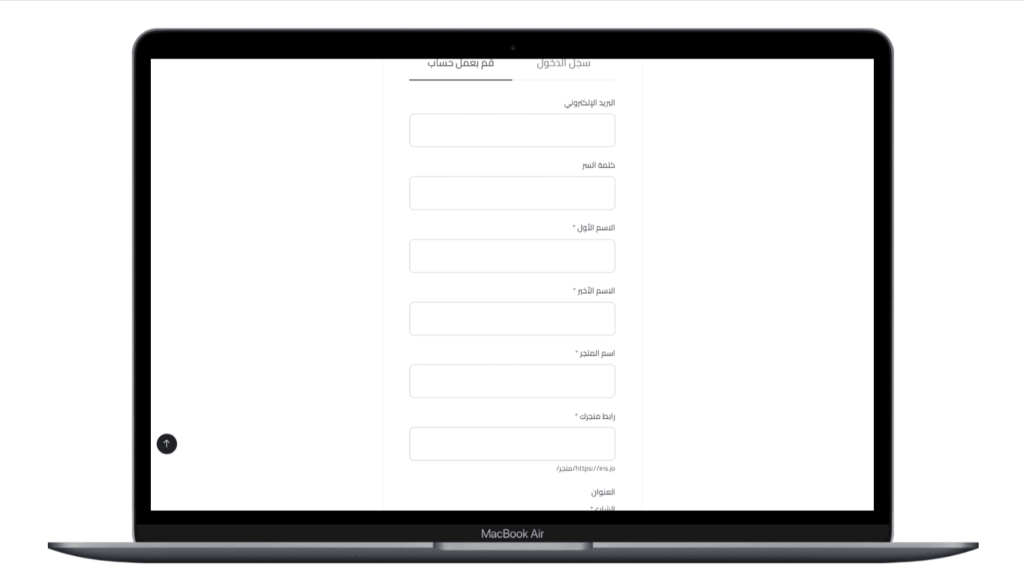
Create an account as a merchant, by clicking on “I am a seller”
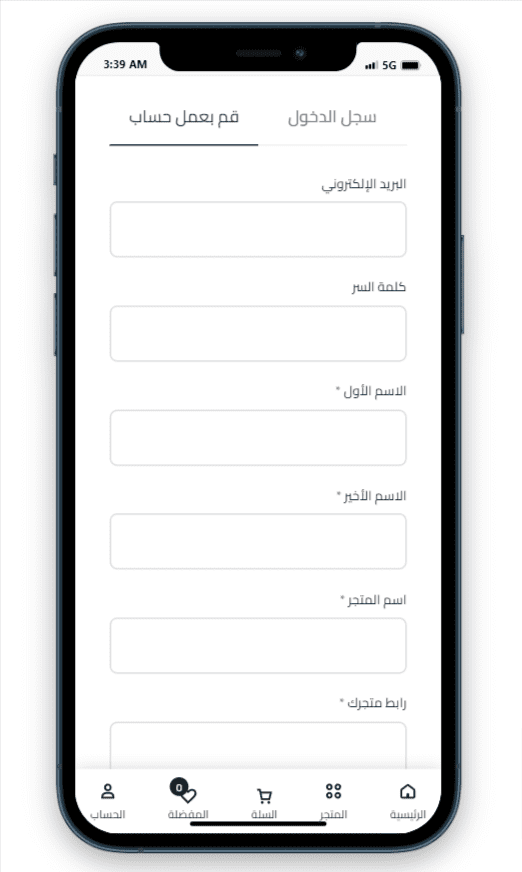
Enter your real information, making sure to enter a valid, active email, to be able to create an account and activate the account via email. Seller Name is the name of your store. You will be able to upload additional information through your account after logging in, so you can upload an image of the store logo. Please save your username and password so you can use them later to log in.
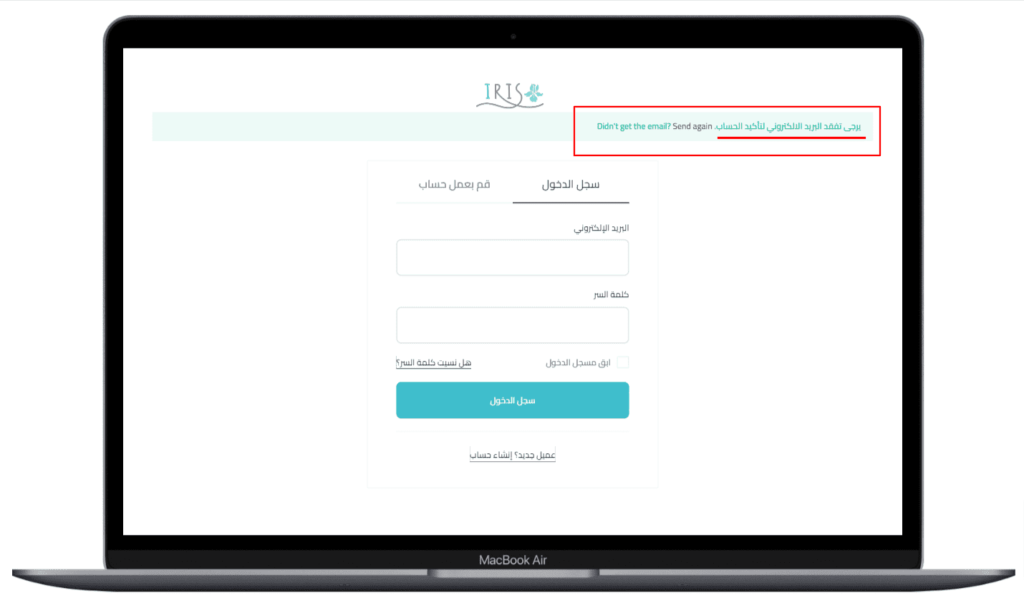
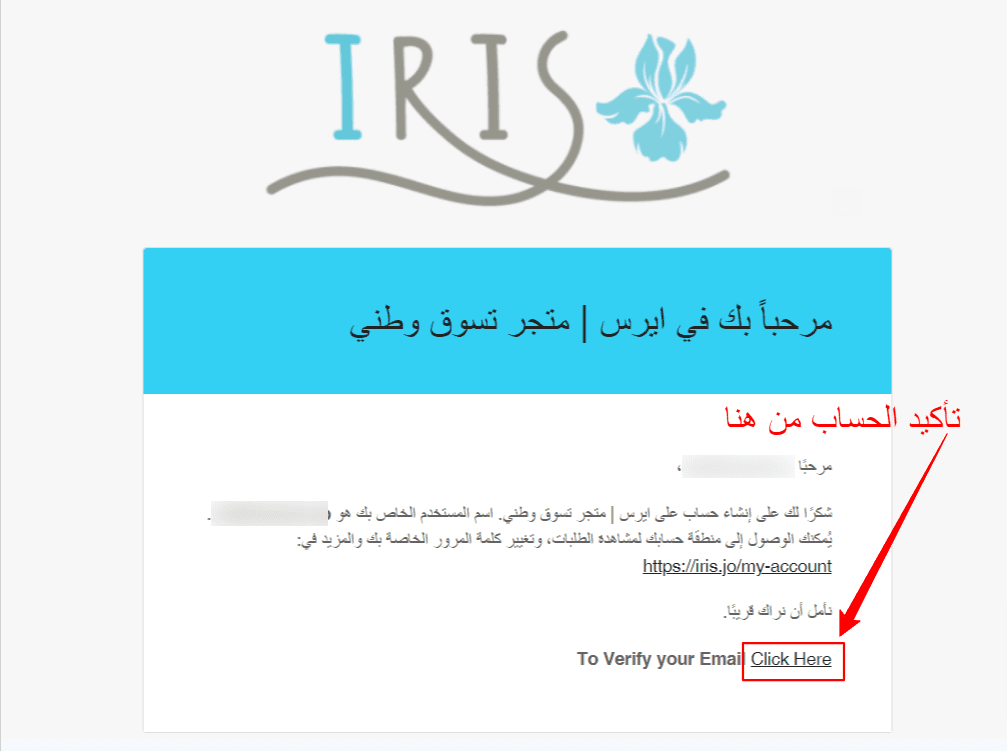
After registering the account, you will receive a welcome email to confirm the account.
After registering the account, you will receive a welcome email to confirm the account as in the image below. Click "Click here" to confirm your account and log in.
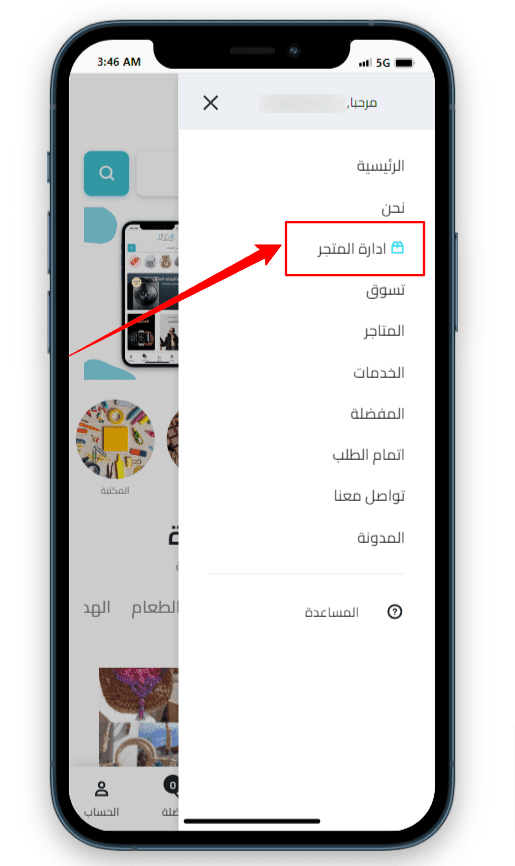
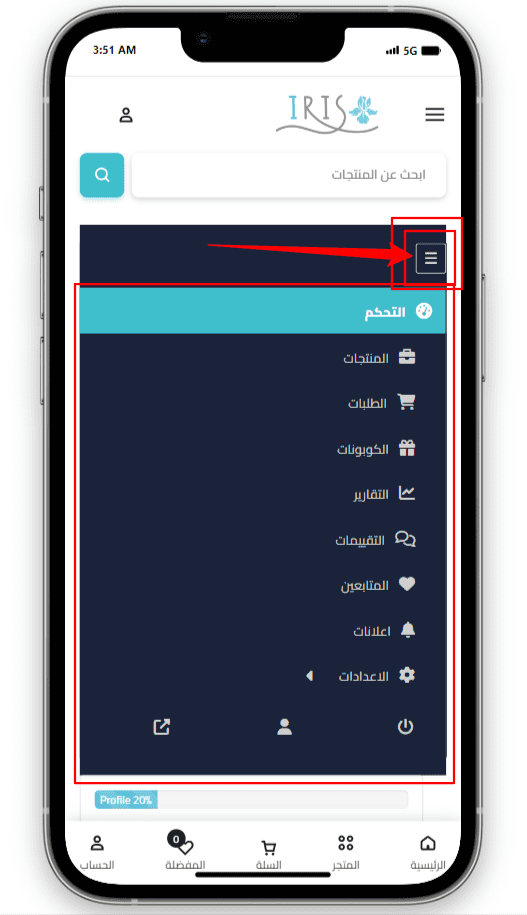
After clicking on the link to confirm the account, you will be logged in so that you can click on the “Go to the store control page” button, or, from the main page, you will find a button that appears to you called “Store,” or from the menu click on Manage Store.
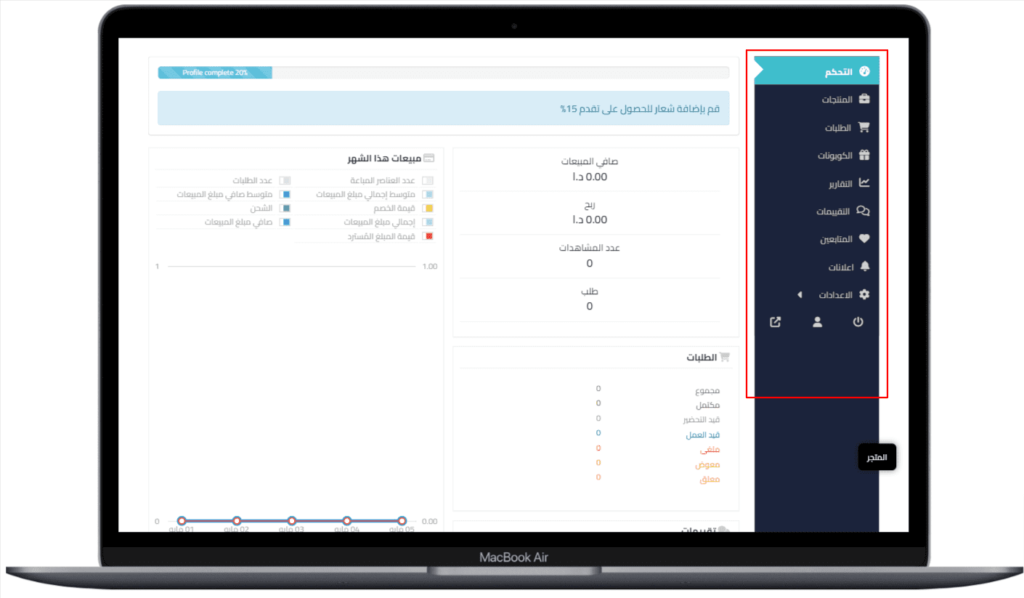
From the store management page, you will find the menu to control the store, products, orders, coupons and followers, and the advertisements page that is sent by us (they will also arrive via email), sales reports, etc. Explore the menus and enjoy uploading your products and start selling online!




 No products in the cart.